
Enhancements
Agent UI
Button repositioning
This is a minor relocation of the buttons within the Agent interface for Call, Email & SMS. These buttons have now been equally spaced.
Call Presentation & CRM
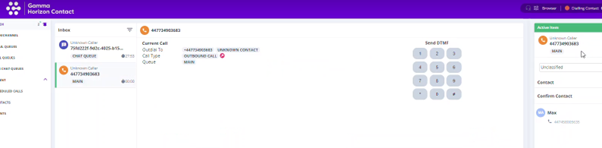
If a caller’s telephone number is matched in the inbuilt CRM, then this will display for the agent in the agent portal to help identify the customer.
Previously it would of looked like this:
With “unknown caller” being shown
Now, so long as the contact is matched in the CRM, it will show:
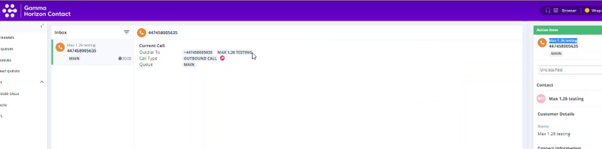
This will work the same for Email, if the email address is saved in the CRM
Reporting
Call Trace – Event Time Formatting
Event time is now standardised across the report.
Filter on SMS Outbound Reports
We have added 2 new filtering option for SMS reporting. These are:
- You can now filter SMS templates reports by Call Flow. ie, how many SMS of a certain template were sent out by a specific flow.
- You can now filter SMS recipients by Flow name. ie this flow sent SMS to the following numbers. Bug Fixes
Find out more information around Reporting within the Administrator Portal.